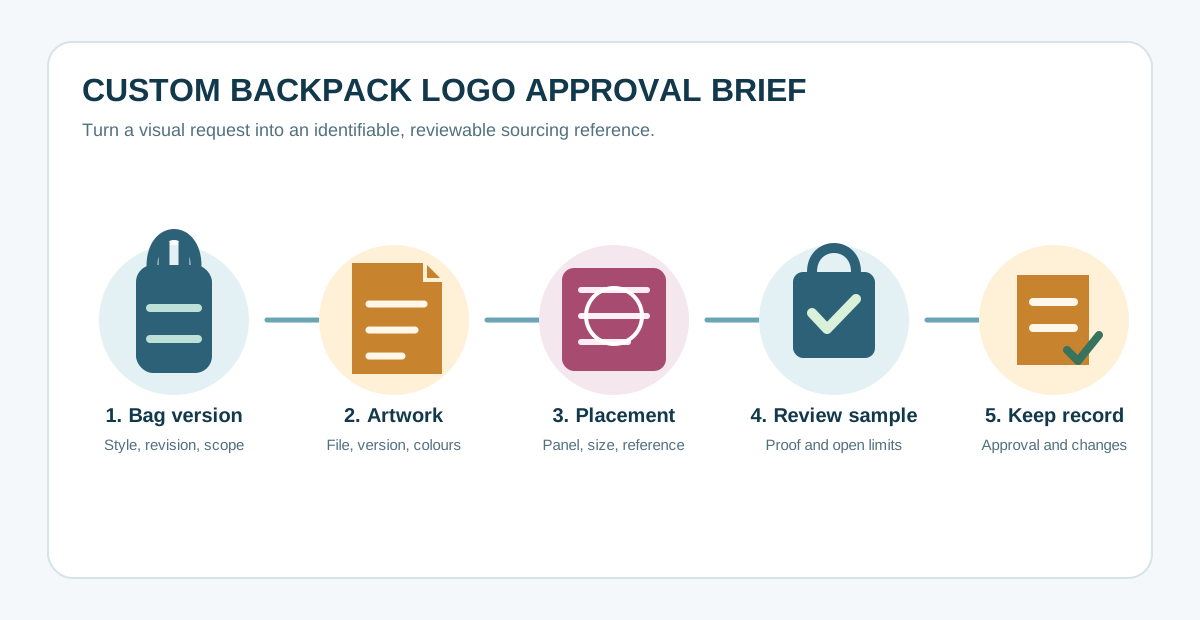
A logo request can sound simple: “put our mark on the front.” But a quotation, a digital mock-up and a finished backpack can all mean different things unless the buyer records the artwork version, the exact bag area, the intended size and what must be approved before a bulk order. This brief helps turn a visual request into questions that suppliers can answer on the same basis.
Prepared by YUEHU Buying Guides as a buyer-side planning aid. It does not confirm that a particular YUEHU backpack, logo method, sample or production run has been tested or is available. Confirm current product, decoration, sample and commercial details for each project.
1. Start with the bag version, not the logo method
Before deciding how a mark should look, identify the backpack to be quoted. A catalogue image may show a front pocket, a seam, webbing, piping or a curved panel that changes the usable branding area. If the project uses a stock reference, record its public link or supplier style number. If it is a new design, attach the latest drawing and identify the revision date.
State the commercial purpose too. A retail line, employee kit, event giveaway and business-travel range can have different visibility, packaging and repeat-order needs. This does not tell a supplier which method is technically possible; it tells both sides what has to be evaluated before a price or sample is treated as comparable.
- Bag reference, revision and target user;
- base colour and any approved material or trim reference;
- estimated quantity, target market and requested delivery window;
- visible logo, internal label, hangtag, zipper pull or packaging elements that are in scope;
- items still unknown, marked as questions rather than assumed facts.
For laptop-oriented discussions, YUEHU’s expandable laptop backpack reference and business travel backpack reference can help identify a starting style. A public product page does not by itself confirm a logo position, decoration method, capacity, material, price, MOQ or lead time for a new project.
2. Write placement so it can be checked
“Centre it on the front” is useful creative direction, but it is not a complete approval note. A buyer can make the request testable by naming a fixed reference point on the bag and recording the finished logo width and height. For example, a drawing can identify the front panel and show the distance from a clearly named seam or pocket edge. The supplier should then confirm whether that reference remains suitable for the actual construction and proposed branding process.
Include a marked photograph, flat drawing or digital layout. If the logo appears on more than one bag size, say whether its size is fixed or scaled by version. Do not invent universal clearance measurements: the relevant space depends on the actual panel, seams, pocket shape, trim and supplier process.
| Record | What to provide or ask | Why it matters |
|---|---|---|
| Artwork master | File name, version, owner and any colour reference | Prevents an old or redrawn file from becoming the unspoken production reference. |
| Finished logo size | Width × height, plus whether small text must remain legible | Lets the supplier flag limits before a sample is approved. |
| Placement | Named panel, orientation and measured relationship to a fixed bag feature | Turns a visual preference into something both parties can inspect. |
| Colour approval | State whether priority is an approved physical sample, a named colour reference or another agreed source | Separates screen appearance from the final physical reference. |
| Branding scope | List front mark, label, hangtag, puller and packaging separately | A price for one visible mark may not include every branded component. |
3. Ask what evidence the quotation is based on
Suppliers may quote from a photo, a layout, a blank bag, a material swatch or a completed sample. These are not interchangeable. Ask which information is assumed in the quotation and which item will be used to check the final request. If a supplier proposes a change to artwork scale, placement or a branded component, record that as a change for review instead of letting it disappear into a revised image.
Keep product construction and branding questions linked but separate. The backpack Tech Pack checklist helps organise the broader product brief, while this page focuses on the identity and approval details that can be missed inside it. The custom backpack RFQ template can then help compare quotations once the requested scope is clear.
4. Approve the right reference before calling the order ready
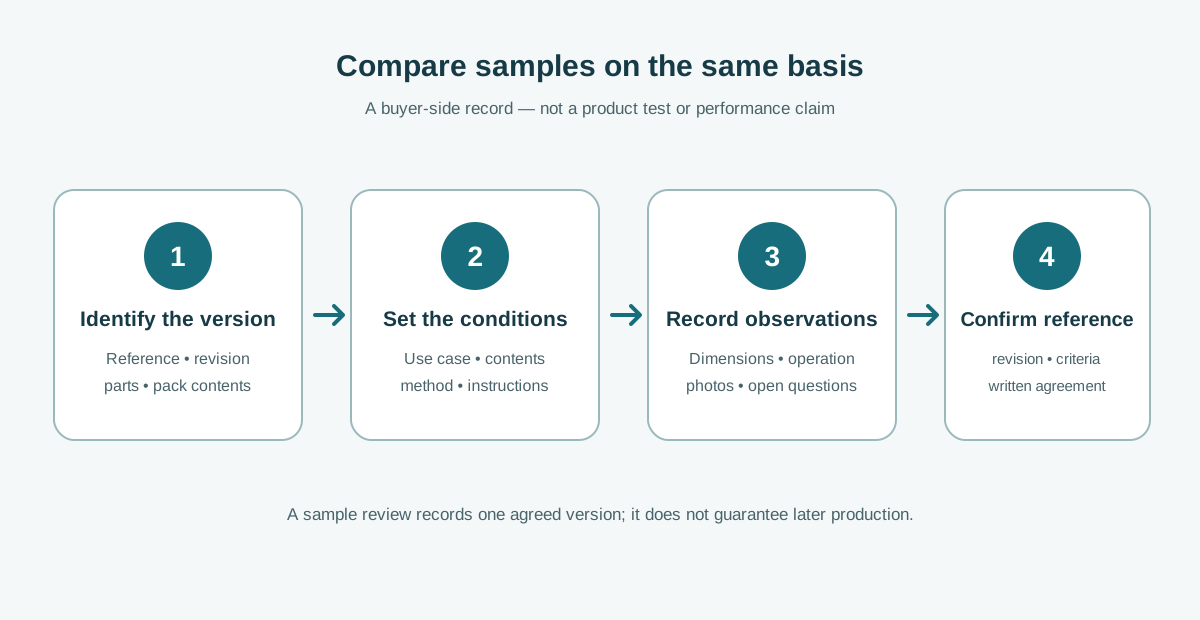
A proof can show layout, while a component or full backpack sample can answer different questions. Choose the review path that matches the project risk and document what each approval covers. For example, a buyer may need to confirm artwork appearance, position on the actual bag, labels and packaging separately. If no physical sample is available, record that limitation and decide who accepts the additional uncertainty; do not call a digital image a product test.
- Review the file or layout: confirm the intended artwork version, orientation, scale and marked location.
- Review the relevant sample: check the agreed visible details on the supplied reference, noting what is and is not represented.
- Record the approved reference: identify the date, photographs or file version, reviewers and open exceptions.
- Control later changes: any change to bag version, artwork, position, colour reference, label or packaging should be written down and re-approved where needed.
Keep a retained approval record for repeat orders. It does not guarantee that every future unit will match, and it is not a substitute for an agreed quality plan or inspection arrangement. It gives the buyer and supplier a shared reference when reviewing a later sample, shipment issue or revision.
5. Download a logo-placement approval brief
Download the custom backpack logo placement approval brief (TXT). It can accompany an enquiry or be added to a broader Tech Pack. Leave missing inputs clearly marked; a precise open question is safer than a confident guess.
PROJECT / BAG REFERENCE: [ ]
ARTWORK FILE + VERSION: [ ]
VISIBLE LOGO: [panel, orientation, width × height]
PLACEMENT DRAWING / PHOTO: [attached / pending]
COLOUR APPROVAL REFERENCE: [ ]
OTHER BRANDING: [label / hangtag / puller / packaging / none]
SAMPLE OR PROOF REQUESTED: [ ]
APPROVAL OWNER + DATE: [ ]
OPEN QUESTIONS / EXCEPTIONS: [ ]
Questions buyers often ask
Can I request a quote from a product photo?
Yes, if the photo is identified as a reference and the unknown details are listed. A photo alone should not be treated as confirmation of every material, component, branding method or included accessory.
Does a coordinate on a drawing guarantee the finished result?
No. It makes the requested result inspectable. The supplier still needs to confirm that the selected bag construction and proposed process can support the request, and the buyer still needs an appropriate approval reference.
Is a signed sample approval the same as a factory inspection?
No. Sample approval records what was reviewed for the named sample or proof. Inspection scope, sampling method, acceptance criteria and responsibility should be agreed separately when needed.
Bring the logo request into the sourcing conversation
Send the bag reference, artwork version, marked placement, estimated quantity and the questions you need the sample to answer. YUEHU’s enquiry form can be used to start a project discussion. Final products, branding options, samples, specifications, prices, minimum quantities, production terms and quality requirements must be confirmed for each enquiry.
General recording principle: American Society for Quality, “Check Sheet”. It supports using a structured form to record observations; it is not a backpack branding standard or evidence about any YUEHU product.
Leave a Comment